
Give it the brief.
Describe the client, the idea, and the outcome. Upload reference material when you have it.
For freelancers, studios and consultants. Turn your brief into an editable proposal website. Share it, follow the response, and close with approval and signature.
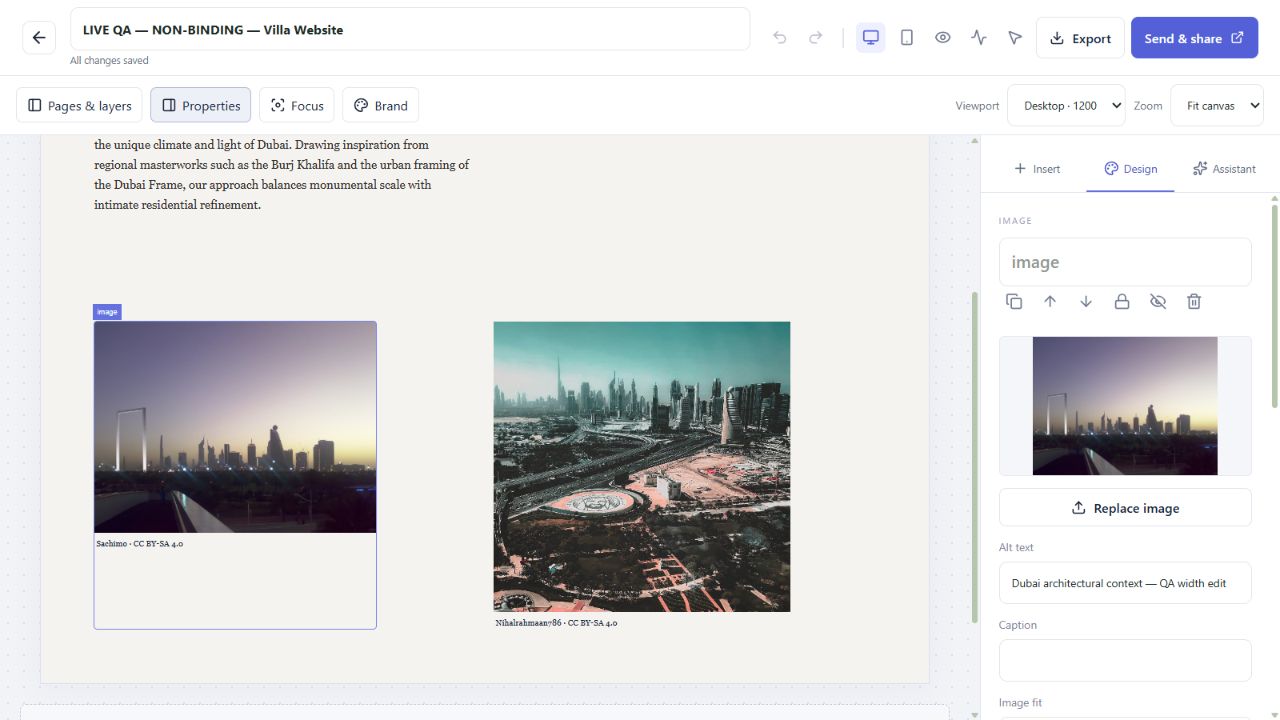
Actual product screenshot from a non-binding QA proposal. The interactive examples use fictional clients. Image credits. Try the working editor without signing up.
03 / A BETTER WAY TO PROPOSE
Not a static template with your words poured into it. Start from your actual intent, refine the direction, and work in a visual canvas.
Describe the client, the idea, and the outcome. Upload reference material when you have it.
Relevant follow-ups when needed. Then a custom composition, written and designed for this request.
Edit the website, refine it with AI, preview different screens, then share a versioned link.
04 / WEBSITE-FIRST THINKING
Give each client a clear route through the scope, evidence and investment. Keep drafts private, publish reviewed versions, and follow their response in your workspace.
Create your proposalPages, navigation and editable visual components shaped around your brief and audience.
Select and adjust actual page elements, or ask AI to change the live design.
See opens and reading activity, collect approval and signature, and keep the exact signed version with its audit receipt.
THE REAL WORKFLOW
Actual screens from a labelled sample account: brief, editing, real data, sharing, client response and signed receipts.
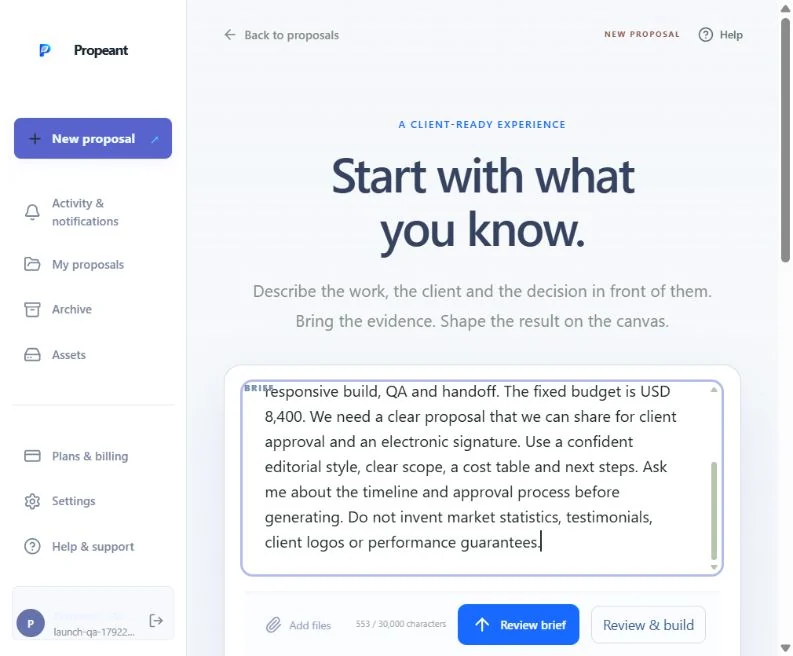
Describe the client, scope, budget and decision. This sample is a non-binding website proposal.
Actual product screens from a sample account. The tour plays when it comes into view; pause or select any step. Reduced motion keeps the steps static. Try the editor yourself ↗
A WORKSPACE FOR CLIENT WORK
Explore the visual editor without signing up. Pro activates your saved workspace, AI generation, client tracking, signatures and exports.
Compare Pro and AgencyPRO
$15 / monthBEFORE YOU START
You can change text, layouts, backgrounds, images, chart data and pages directly. The AI assistant is optional and can work on a selected element, a page or the whole website.
Yes. Supported Office elements become editable; PDFs retain their original page visuals with editable text overlays. Complex Office layouts can differ. Import notes explain unsupported content so you can review before sharing.
Open your published link without a Propeant login, explore its pages, and use the response actions you enable. Your workspace records opens, reading activity, approval and signature events. Reading time is an estimate of visibility, not proof of attention.
You can provide a public research topic for licensed imagery and source links, or import a real dataset from a public URL. Sources and retrieval dates stay attached. Missing evidence is disclosed; manually added sample charts are labelled illustrative.
The best proposal is the one that makes the thinking tangible. Start yours with a brief.
Create a proposal